How To Change NTP Configuration
Warning
Any action on the Command-Line Interface (CLI) using the root, osadmin,
or autoboss account may cause irreversible, detrimental changes to the
product. Actions taken without direct communication with the IP Fabric
Support or Solution Architect teams can render the system unusable.
Since version 7.x, the IP Fabric appliance uses ntpsec for time synchronization. To change the NTP configuration, edit the /etc/ntpsec/ntp.conf file and restart the service.
Steps
-
Edit the NTP configuration file:
sudo vi /etc/ntpsec/ntp.conf -
Restart the NTP service to apply changes:
sudo systemctl restart ntpsec.service -
Check that the service is running:
sudo systemctl status ntpsec.serviceThe output should show
active (running):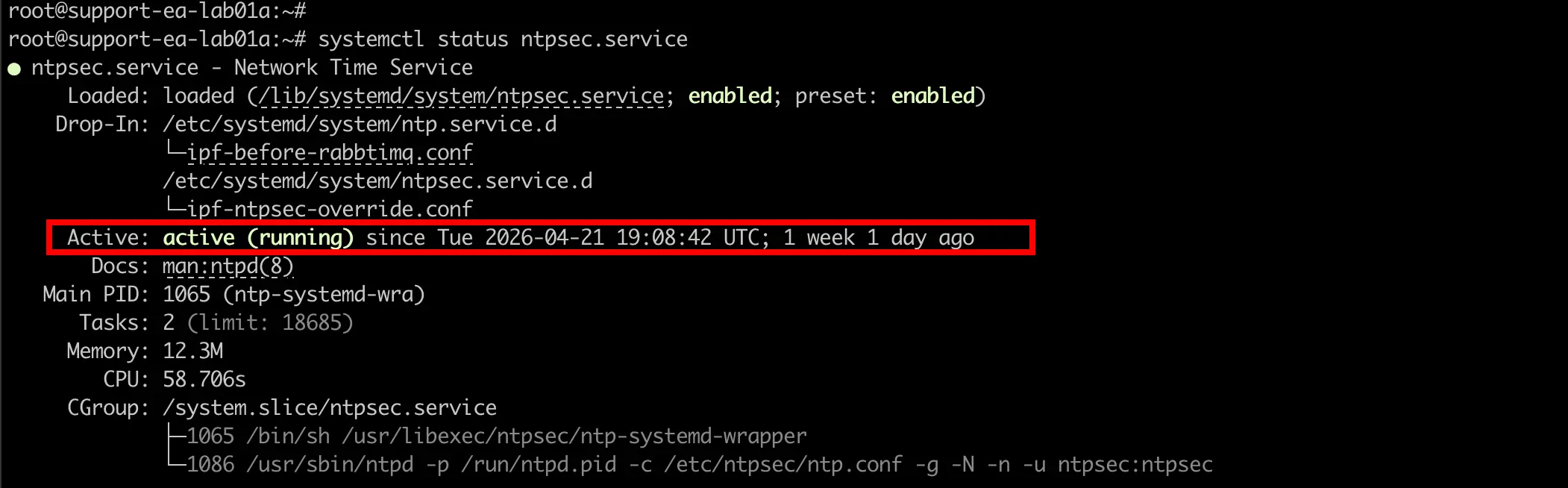
Default Configuration
The default /etc/ntpsec/ntp.conf file uses the Debian NTP pool:
# /etc/ntpsec/ntp.conf, configuration for ntpd; see ntp.conf(5) for help

driftfile /var/lib/ntpsec/ntp.drift
leapfile /usr/share/zoneinfo/leap-seconds.list

# This should be maxclock 7, but the pool entries count towards maxclock.
tos maxclock 11

# pool.ntp.org maps to about 1000 low-stratum NTP servers.  Your server will
# pick a different set every time it starts up.  Please consider joining the
# pool: <https://www.pool.ntp.org/join.html>
pool 0.debian.pool.ntp.org iburst
pool 1.debian.pool.ntp.org iburst
pool 2.debian.pool.ntp.org iburst

tos minclock 4 minsane 3

# Access control configuration
restrict default kod nomodify noquery limited

# Local users may interrogate the ntp server more closely.
restrict 127.0.0.1
restrict ::1
Example: Adding a Custom NTP Server
To add your own NTP server (e.g., an internal time source at 10.0.1.100), add a server line to the configuration:
# /etc/ntpsec/ntp.conf, configuration for ntpd; see ntp.conf(5) for help

driftfile /var/lib/ntpsec/ntp.drift
leapfile /usr/share/zoneinfo/leap-seconds.list

# This should be maxclock 7, but the pool entries count towards maxclock.
tos maxclock 11

# Custom NTP server (added)
server 10.0.1.100 iburst prefer

# pool.ntp.org maps to about 1000 low-stratum NTP servers.  Your server will
# pick a different set every time it starts up.  Please consider joining the
# pool: <https://www.pool.ntp.org/join.html>
pool 0.debian.pool.ntp.org iburst
pool 1.debian.pool.ntp.org iburst
pool 2.debian.pool.ntp.org iburst

tos minclock 4 minsane 3

# Access control configuration
restrict default kod nomodify noquery limited

# Local users may interrogate the ntp server more closely.
restrict 127.0.0.1
restrict ::1
Note
- Use
serverfor a specific NTP server andpoolfor a pool of servers. - The
iburstoption speeds up initial synchronization. - The
preferoption marks the server as the preferred time source.
After saving the file, restart the service:
sudo systemctl restart ntpsec.service
To check synchronization with the new server:
ntpq -pn
The output shows all configured NTP sources with their status. The * symbol marks the currently selected source:
     remote           refid      st t when poll reach   delay   offset   jitter
==============================================================================
*10.0.1.100      .GPS.            1 u   64  128  377    0.523   -0.012    0.015
+0.debian.pool.n .PPS.            1 u  120  256  377   12.345    1.234    0.567
+1.debian.pool.n .PPS.            2 u   95  256  377   15.678    0.890    0.432
+2.debian.pool.n .ATOM.           2 u  200  256  377   20.123   -2.345    0.789