Labels
Experimental Feature
Labels are an experimental feature introduced in 8.1. The feature is
disabled by default. To enable it, set the ENABLE_LABELS feature flag. See
Feature Flags
for details.
With the feature flag disabled:
- Discovery Data Enrichment does not appear in the Settings menu, and opening its URL directly returns Not found.
- The label calculation job is not scheduled after discovery, so no labels are assigned in any snapshot.
- The Labels columns still exist in tables and in the API, but they are always empty.
What a Label Is
A label is a name with an optional value, written as name:value – for
example, region:EMEA, pci, or owner:network-team.
- A name can be up to 64 characters long and may contain letters, digits,
hyphens (
-), and underscores (_). - A value can be up to 128 characters long and cannot contain a colon (
:).
Labels attach to devices and to L2 interfaces. Once assigned, a label appears as a column and as a filter across technology tables and in intent checks. Use labels to scope any view to the part of the network the label describes.
Where You Manage Labels
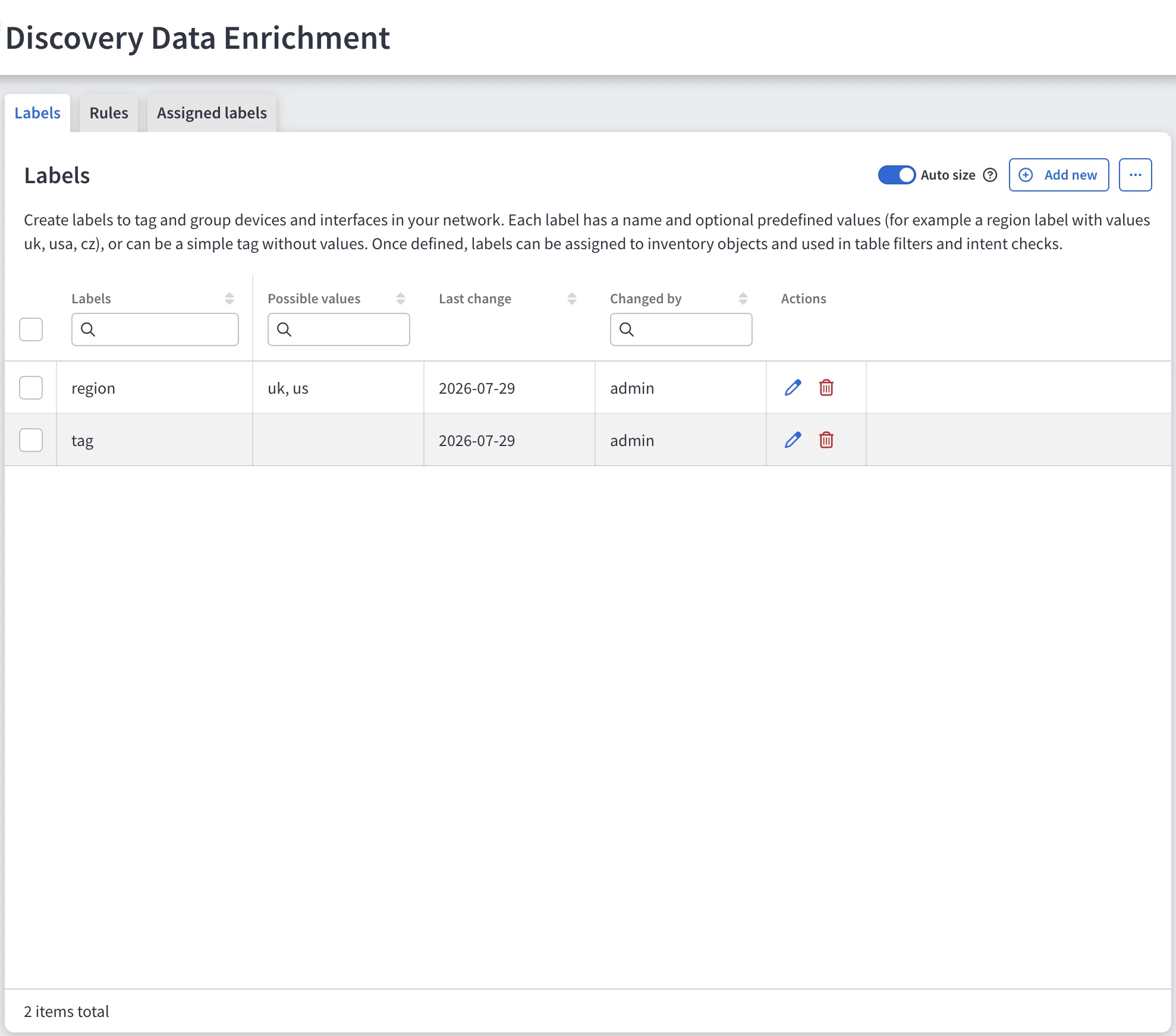
Navigate to Settings → Discovery & Snapshots → Discovery Data Enrichment. The page has three tabs:
- Labels – The catalog of label names and, optionally, the values you expect to use with them. The catalog drives autocomplete when you assign a label.
- Rules – Automatic assignment rules that match device properties and apply labels without manual work. See Automatic Assignment Rules.
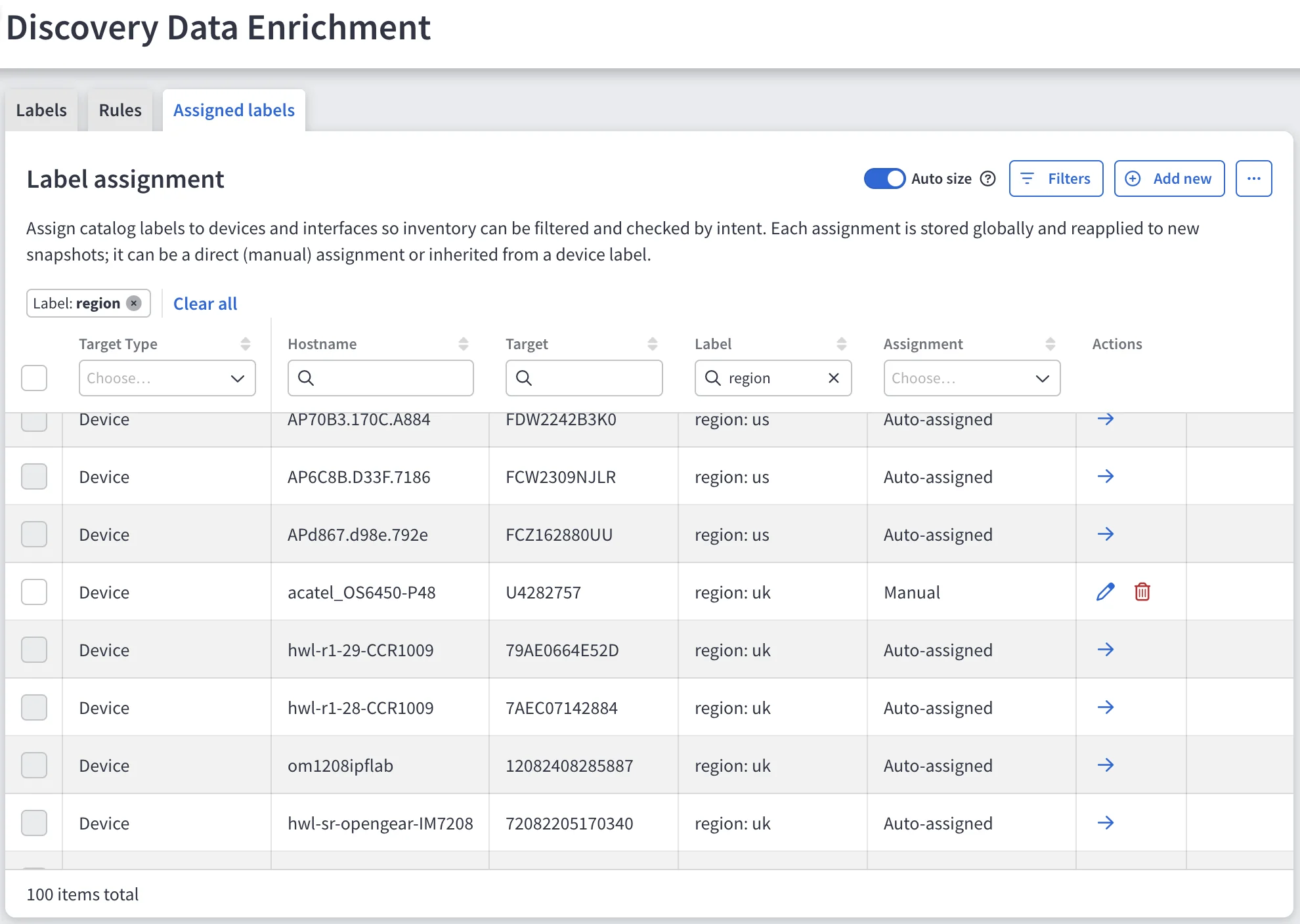
- Assigned labels – Every label assignment in the current snapshot, with the source of each one.
Where a Label on an Object Comes From
Every assignment carries a source:
| Source | Meaning |
|---|---|
| Manual | Assigned directly to this device or interface. |
| Auto-assigned | Produced by an automatic assignment rule. |
| Inherited | Applied to an L2 interface because its device carries the label and inheritance is on. |
When the same label reaches one object from more than one source, Manual takes precedence over Auto-assigned, and Auto-assigned takes precedence over Inherited.
When IP Fabric Calculates Labels
IP Fabric calculates labels as the last step after discovery, using rules and manual assignments stored on the appliance. The same calculation also runs when a snapshot is loaded, when IP Fabric removes a device, and when sites are recalculated.
This has two consequences:
- A change to a label rule or assignment applies from the next calculation onward. Existing snapshots are not rewritten.
- Label configuration is stored once on the appliance, not copied into each snapshot. Update it in one place to apply changes everywhere.
Labels and Device Attributes
Labels do not replace Device Attributes
in 8.1. Both exist independently, and the behavior of device attributes does
not change.