Reserved Labels
Experimental Feature
Labels are an experimental feature introduced in 8.1, disabled by
default. To enable labels, set the ENABLE_LABELS feature flag. See
Labels for details.
Since 8.2, label names starting with ipf_ are reserved. IP Fabric uses
reserved labels to publish the site, routing domain, and STP domain it
calculates for each device. You can override these values, and you can assign
devices to regions with the ipf_region label.
Available Reserved Labels
| Label | Value | Set by |
|---|---|---|
ipf_site |
Site name of the device | IP Fabric, from site separation |
ipf_routingDomain |
Routing domain of the device | IP Fabric, during topology calculation |
ipf_stpDomain |
STP domain of the device | IP Fabric, during topology calculation |
ipf_region |
Region of the device, for example uk |
You only – manually or with rules |
Only these four names can be used. Any other name starting with ipf_ is
rejected with the error:
The ipf_ prefix is only for reserved labels.
Reserved labels are assigned to devices.
Labels Computed by IP Fabric
During each topology calculation, IP Fabric assigns ipf_site,
ipf_routingDomain, and ipf_stpDomain to each device in the snapshot that has
a site, routing domain, or STP domain. These assignments have the source IP
Fabric, and IP Fabric replaces them every time topology is calculated.
Overriding a Computed Value
To change the site, routing domain, or STP domain IP Fabric calculated for a
device, assign the reserved label with your own value – either
manually or with an
automatic assignment rule. For example,
assign ipf_site:LON to move a device to the LON site.
When you pick a computed reserved label in an assignment or rule form, a warning reminds you that you are overriding the value IP Fabric calculated – for example:
You are overriding the site name computed by IP Fabric.
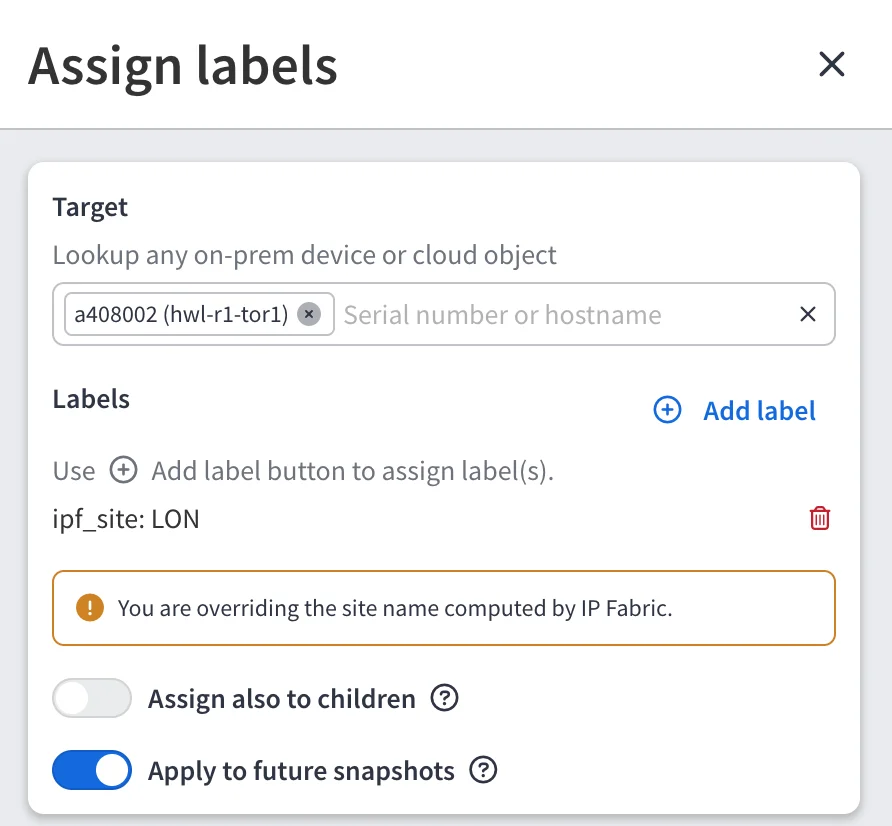
Manual and auto-assigned values take precedence over the computed value:
- Manual
- Auto-assigned
- IP Fabric
- Inherited
To keep a manual override in future snapshots, turn on Apply to future snapshots when assigning it.
A device has only one value of each reserved label. When several values reach the same device, only the value with the highest precedence applies. This differs from user labels, where a device keeps every assigned value.
In the Labels tab of Device Explorer, both the computed value (source IP Fabric) and your override (source Manual) are listed. The override is the one IP Fabric uses.
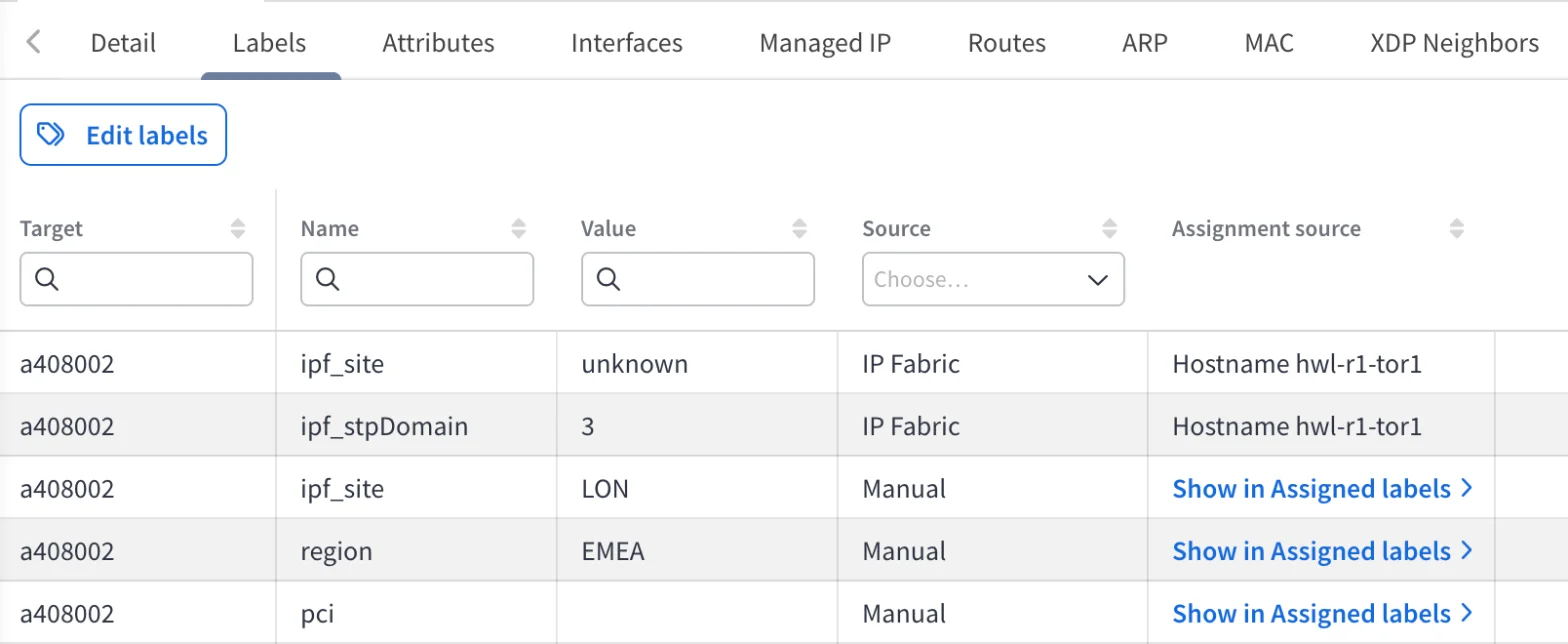
Where Reserved Labels Are Used
When labels are enabled, IP Fabric reads the reserved label first, and falls back to the calculated value only for devices without it:
- Site columns in technology and inventory tables show the value of
ipf_site. - Diagrams group devices by Site name, Routing domain, and
STP domain using
ipf_site,ipf_routingDomain, andipf_stpDomain.
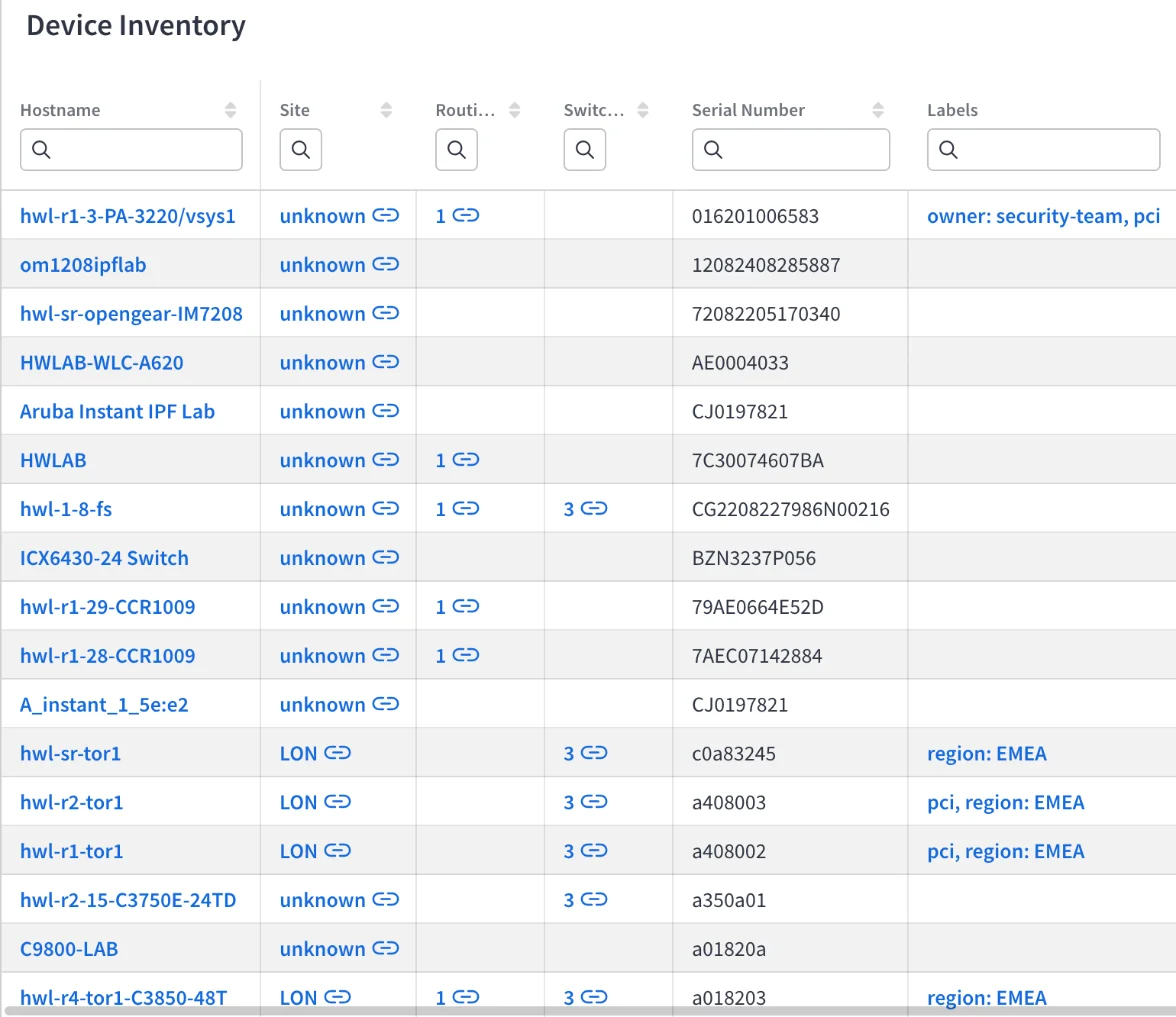
Overriding a reserved label changes how the device is shown in tables and diagrams. It does not change the site separation settings.
Regions
ipf_region groups devices into regions – for example, uk, eu-west-1, or
North America. IP Fabric never computes it, so devices carry a region only
after you assign one, manually or with a rule.
Once assigned, you can group diagrams by Region. The Region option is available only when labels are enabled.
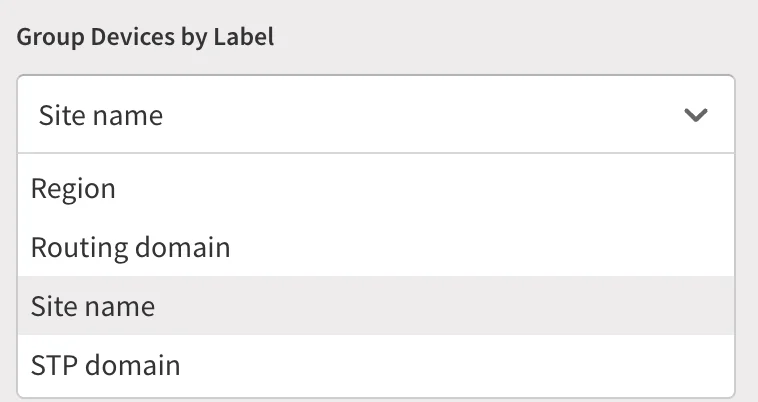
Devices without ipf_region are grouped under NO VALUE.
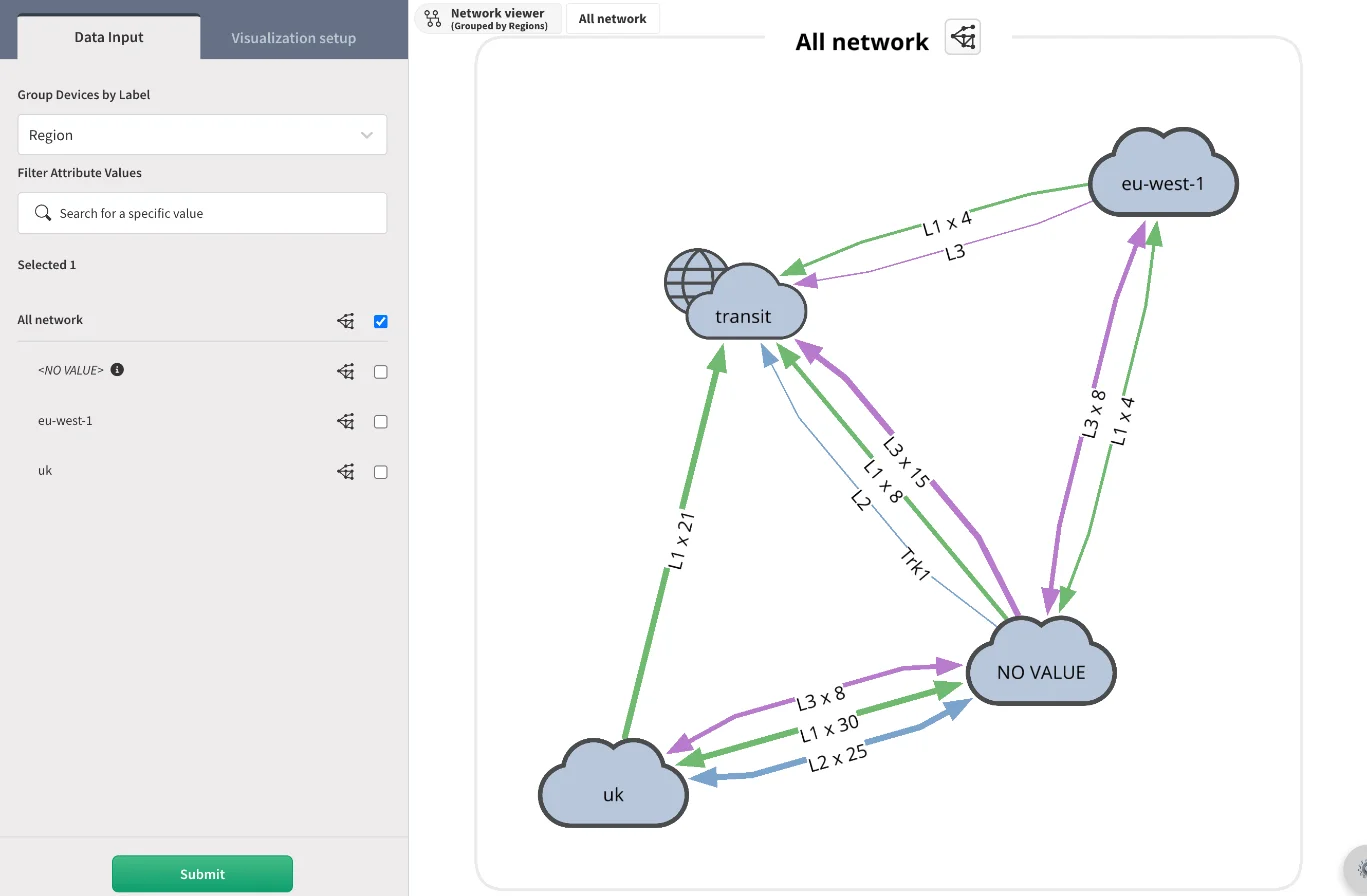
A region value is required, and it must be 1–64 characters long and contain
only letters, digits, spaces, underscores (_), periods (.), or hyphens
(-). Otherwise, the following error is shown:
Region value must be 1–64 characters: letters, digits, spaces, "_", "." or "-".
Example
To assign regions automatically by hostname, create a rule with the
condition Hostname is ^lon- and the label ipf_region:uk. Every
device whose hostname starts with lon- is placed in the uk region.
Reserved Labels in the Catalog
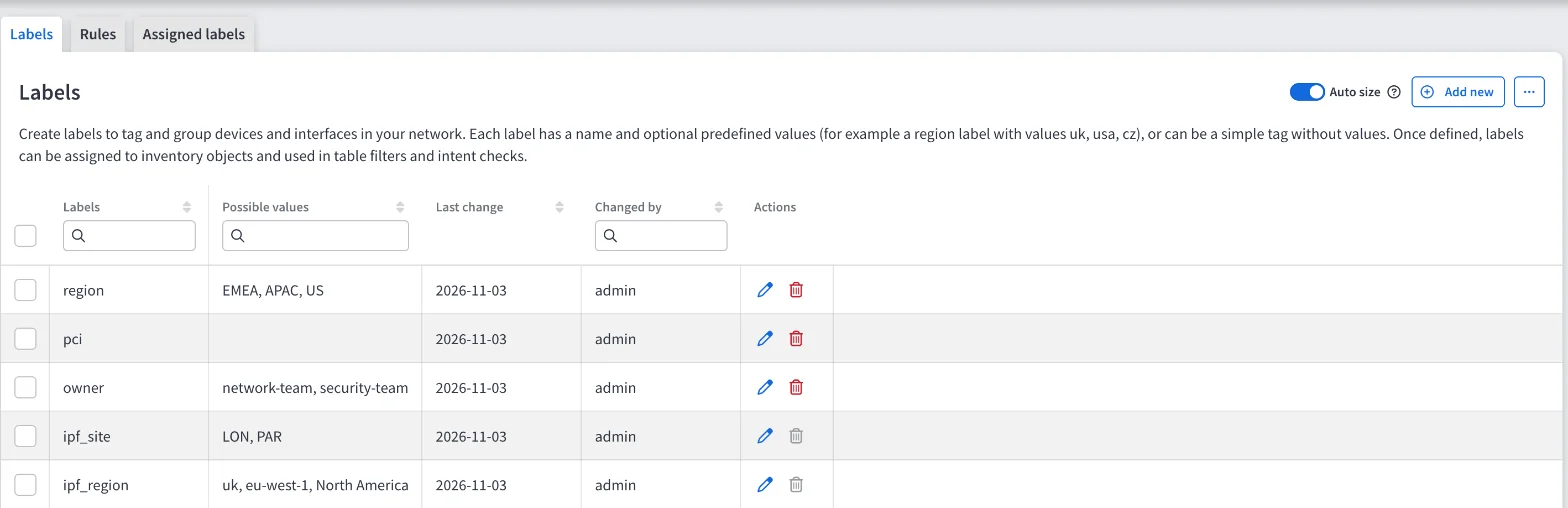
Reserved labels are not added to the catalog automatically. To add one, click + Add new in the Labels tab and select one of the names offered under Reserved names.
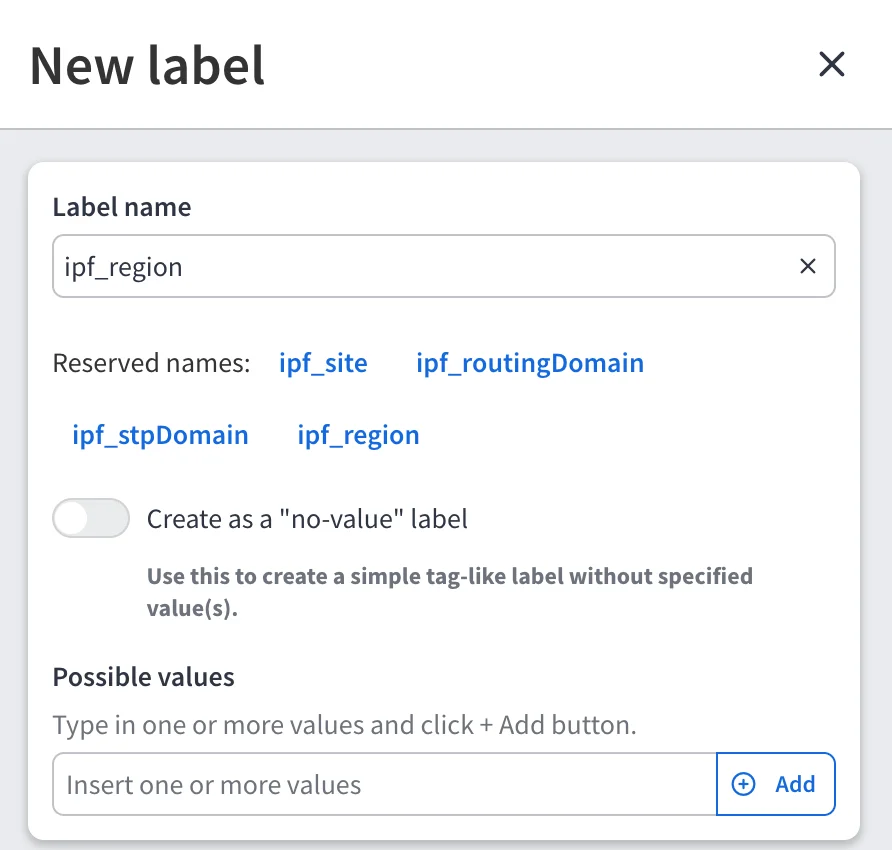
Reserved catalog entries cannot be renamed or deleted. You can still edit their
values. A catalog entry for ipf_region must have at least one value.
API
Reserved labels use the same API endpoints as other labels. See Import Labels via API.
- A request with an unknown
ipf_name, or a missing or invalidipf_regionvalue, fails with status422and the error codeAPI_VALIDATION_FAILED. - A request that renames or deletes a reserved catalog entry fails with status
400and the messageReserved label names cannot be renamed or deleted.
For example, to assign a device to the uk region:
curl -X POST 'https://<FQDN>/api/labels/assignments' \
  --header 'Content-Type: application/json' \
  --header 'X-API-Token: <YOUR_API_TOKEN>' \
  -d '{
    "snapshotId": "<SNAPSHOT_ID>",
    "labels": [{ "name": "ipf_region", "value": "uk" }],
    "targets": [{ "type": "device", "sn": "<DEVICE_SN>" }],
    "reflectToRules": true
  }'